“The Snipping Tool: because sometimes you need to capture chaos in 4K.”
I just returned from vacation. Note to self: when prone to motion sickness, ocean cruising might be problematic.
My gut is still woozy, and my head doesn’t want to compute! I am having a horrible time trying to focus, not just on writing a newsletter, but on life in general. Every fiber of my being wants to sit and do nothing. Wow… I feel so much better! Thanks for listening to me whine!
I did learn something cool and I will share with you. A big part of my job is spent documenting. I take a lot of screen clips and retype a bunch of stuff that I find in pictures. The screen clips are easy. Windows includes a utility called “snipping tool”. You can get to it by typing “snipping tool” in the search section of the task bar.
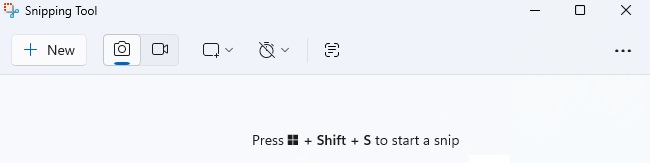
Click on the New button, draw a box around what you want to capture and copy it into any document, email, or software program that will accept pictures.
But this is what I learned. The snipping tool can take text embedded in the picture and convert it to text. I don’t have to retype anything!
Here are the steps:
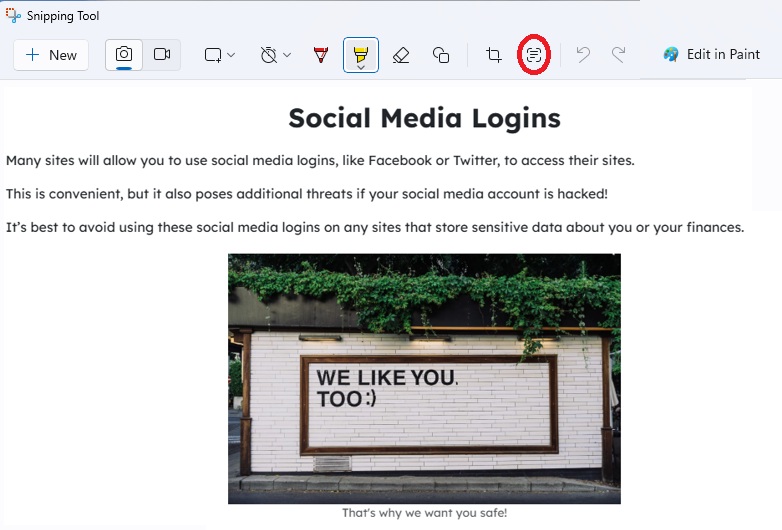
- Capture the image.
- Click the Scan Text Icon at the top
- Copy what you need. –ie: Drag across the text the snipping tool found, Hold the <CTRL> key while tapping the letter “C” (for copy).
- Paste (<CTRL>V) into the new location. SWEET!! No more retyping!
And please read the picture. Why people use Facebook to log in to other sites is a mystery to me. Granted, I am biased because I am not a fan of Facebook.
The picture is a screen capture of a security training course. If your organization needs training, let me know. It is fast, easy, inexpensive and some insurance companies will give a discount if you are actively training your staff.
Stay Safe & Happy Computing,
Janet